
SMS Notifications for Payment Recipients
When you send money through Smither, we text the recipient with simple instructions on how to claim the funds — even if they don't have an account yet.
Michael Scott sent you 50 USDC with Smither Pay - powered by Stripe. Chat with Smither now to claim your funds using the following link: smitherpay.com/claim/abc123. Msg & data rates may apply. Reply STOP to opt out, HELP for help.
Example only — not a real transaction
Michael Scott sent you 50 USDC for “Concert”. Chat with Smither to manage your funds.
Example only — not a real transaction
SMS Consent
By sending payments through Smither, you — the sender — consent on behalf of your payment recipients to Smither sending them SMS notifications that are necessary to deliver the payment (for example, claim instructions and status updates).
Message frequency varies based on transaction activity. Message and data rates may apply. Recipients can reply STOP at any time to opt out of future messages, or HELP for assistance.
For more information, see our Terms & Privacy Policy.
How senders consent in the Smither chat
Before you can send a payment, Smither asks you to confirm you've read the Terms & Privacy Policy and agree to let Smither send SMS notifications to your recipients on your behalf. Your consent is given by tapping the "I Agree" button in the chat.
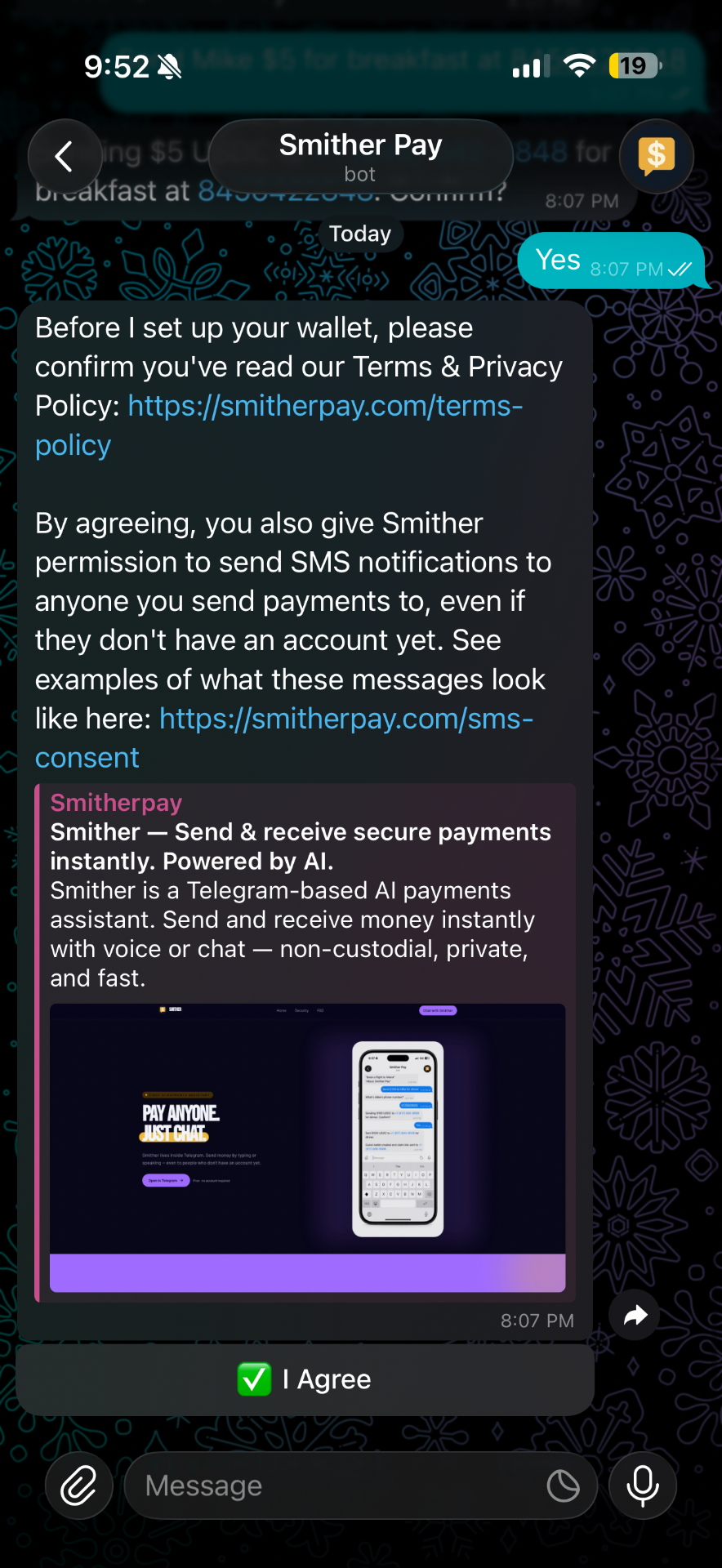
Actual Smither Pay sender consent flow in Telegram